
Google Demand Gen creative specs you need before launch
Article
Claron Kinny
|
Growth & Content
Google Demand Gen Video coverage depends on shape, length, and placement
Google's current Demand Gen video specifications support four orientations.
Video orientation | Recommended HD size |
Horizontal 16:9 | 1920 × 1080 |
Square 1:1 | 1080 × 1080 |
Portrait 4:5 | 1080 × 1350 |
Vertical 9:16 | 1080 × 1920 |
The minimum video duration is five seconds, but videos below 10 seconds are not eligible for YouTube in-stream. Google's main Demand Gen specs recommend 10 to 60 seconds, while its product-feed guidance also suggests using videos longer than 15 seconds when broader reach and effectiveness across available formats are the goal.
The practical takeaway is not one universal “best” video length.
A six-second cut can be useful for one placement while removing in-stream from the campaign's options. A 15- or 30-second version creates more eligibility, but only if the story warrants the additional time.
There is also a workflow difference from many social platforms. Demand Gen does not accept an offline video file directly into the ad. The video must be uploaded to YouTube or created through Google's video-building tools. An unlisted YouTube video can be used if the brand does not want it publicly visible on the channel.
Once the campaign film and story are approved, the horizontal, square, portrait, vertical, and duration versions become a video ad production workflow rather than five separate creative briefs.
Sound behavior changes across Demand Gen placements
The same Demand Gen video does not behave the same way everywhere.
Google currently documents Discover, YouTube Home, Gmail, and GDN video as autoplaying muted by default, while YouTube Shorts defaults to sound on. In-stream and Watch Next behave differently again. That makes captions, on-screen context, and product visibility part of the creative spec.
If the product benefit only exists in the voiceover, part of the campaign can serve without communicating the reason to care. The video pool therefore needs to work visually before the copy assets are added around it.
Write copy as modular creative, not one fixed headline pair
Demand Gen does not permanently lock one headline to one description. According to Google's current Demand Gen campaign specifications, single-image ads support the following text limits.
Text asset | Limit |
Headline | 40 characters |
Description | 90 characters |
Business name | 25 characters |
Final URL | 2,048 characters |
You can provide up to five headlines and five descriptions. Google recommends several distinct options, and at least one headline should contain 30 characters or fewer so the ad can serve on Display without an incomplete Ad Strength rating.
Video adds another text field:
Video text asset | Limit |
Headline | 40 characters |
Long headline | 90 characters |
Description | 90 characters |
Business name | 25 characters |
The long headline is used in in-feed video formats. Shorts changes the relationship between these fields again because Google can treat the headline, long headline, or description as the ad description.
Consider these two sets: Headline: Meet the serum made for dry skin versus: Headline: Meet the serum |
|---|
The second set depends more heavily on both fields appearing together.
Demand Gen does not guarantee that relationship everywhere. For copy teams, the safer rule is to make each asset carry a complete thought. If Google separates the headline from the description, the customer should still understand the point.
When several message variants are entering the same pool, a creative testing framework also helps distinguish a genuine customer hypothesis from five rewrites of the same message.
With the image, video, and text systems in place, the next choice is whether product sequence remains under Creative's control or moves into a feed.
Choose between a designed Carousel and a product-driven storefront
Demand Gen gives E-commerce teams two different ways to show several products. A Carousel gives Creative direct control over order and storytelling. A Merchant Center product feed gives Google structured product data it can use dynamically.
They solve different jobs.
Google Demand Gen Carousel Ads work when card order matters
Google's Demand Gen Carousel specifications allow 2 to 10 cards. All cards need to use a consistent aspect ratio, and Google recommends separate carousel versions by aspect ratio when the campaign needs broader placement coverage.
Each card can have its own headline and final URL, and Google displays the cards in the order uploaded. That makes sequence a creative decision.
A five-card product story might look like: Problem → Product → Feature → Proof → Offer
A range-led execution could move through: Product 1 → Product 2 → Product 3 → Collection landing page
Ten interchangeable lifestyle images may satisfy the format, but they do not give the shopper much reason to keep moving.
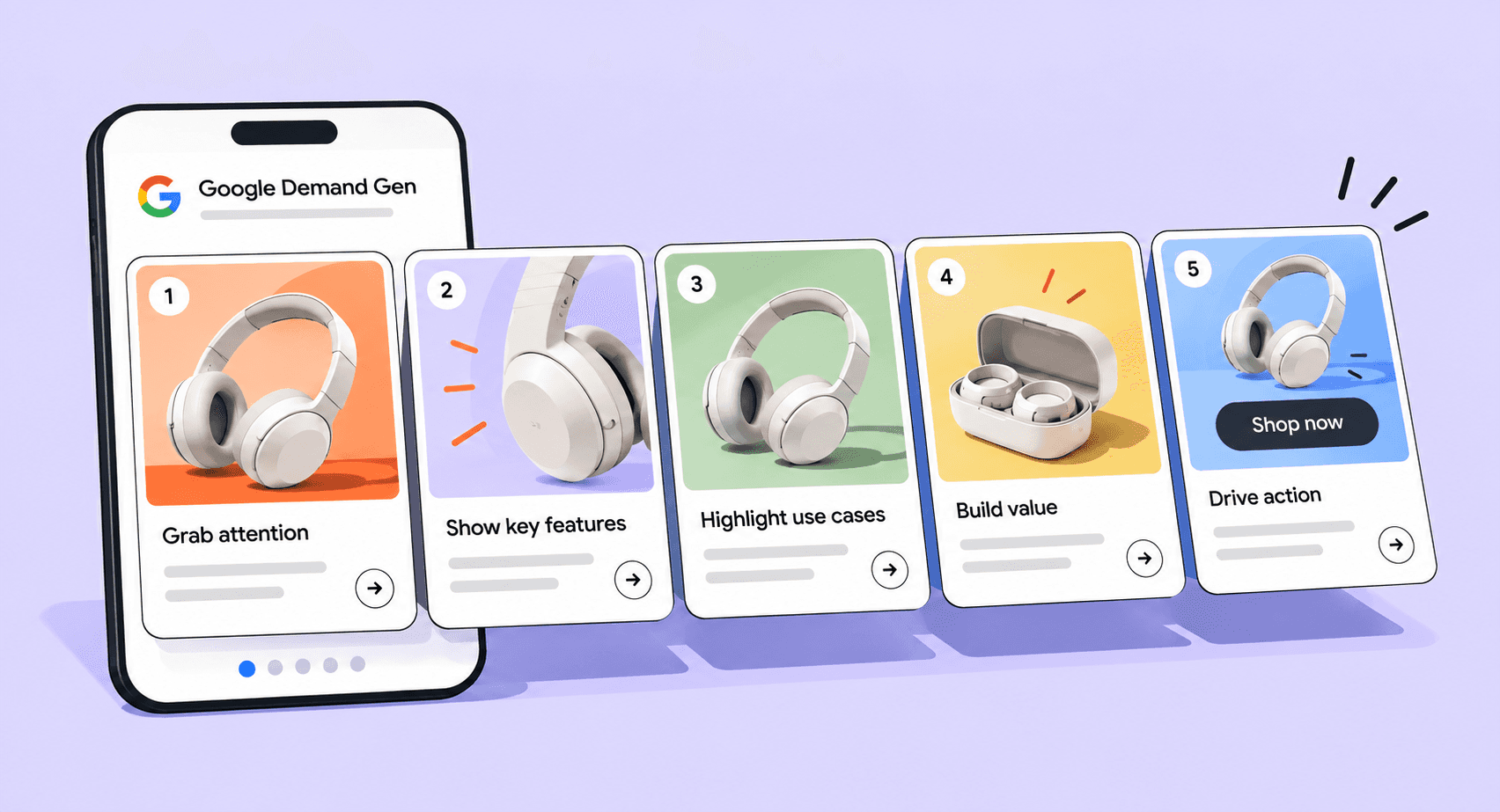
One important limitation should be settled before the asset plan is built: Carousel Ads are not available when a Google Merchant Center product feed is being used with Demand Gen.
If Creative needs exact control over the sequence, use the Carousel route. If the goal is dynamic merchandising from the catalog, the product-feed route becomes more relevant.
Product feeds with Demand Gen make Merchant Center part of the creative system
Connecting Google Merchant Center product feeds to Demand Gen allows Google to combine product imagery and product information with Demand Gen creative. Google describes the format as turning the campaign into a virtual storefront.
Campaigns can technically run with one available product. Google recommends at least four to maximize placement eligibility and cites 50 products as a best-practice target.
The detailed Demand Gen product-feed creative specifications also cover image, video, logo, and product requirements when Merchant Center feeds are part of the campaign.
For E-commerce teams, the feed becomes part of creative QA.
Before launch, check whether the product images are current, titles still make sense at ad size, prices are correct, inventory is accurate, and each final URL reaches the right product detail page.
A strong master campaign cannot compensate for incorrect commerce data being pulled directly into the ad.
The operating model is similar to retail media creative production, where product data, platform requirements, and visual execution need to stay synchronized rather than being managed as completely separate workflows.
Ocado connects performance learning back into the creative system
Ocado moved toward an always-on YouTube strategy that combined performance-oriented creative, product-feed extensions, testing, and regular creative refreshes.
Google reports a 4.5X increase in marketing mix modeling performance, 73% lower CPA, 32% growth in new-customer transactions, and 43% growth in brand searches year over year.
The relevant lesson is not the result in isolation.
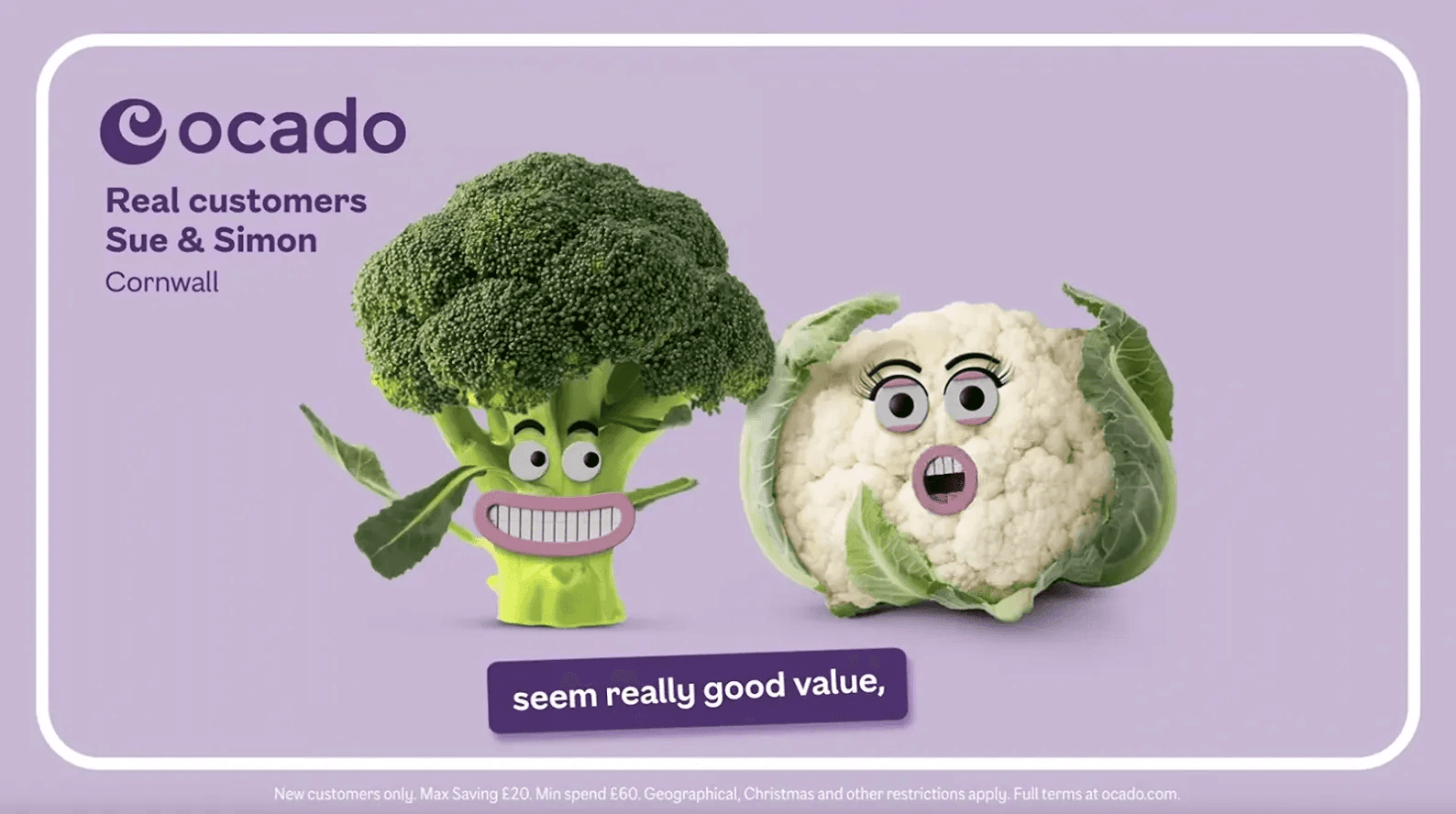
Ocado kept using performance data to refine creative, targeting, and messaging rather than treating the initial production cycle as finished once the assets were live. That is a useful model for Demand Gen because the product feed, creative pool, and performance signals can all contribute to what should be refreshed next.
The next branch of the production plan appears when GDN is part of the campaign.
GDN introduces a separate Display production branch
Google Display Ads are moving into Demand Gen as the Google Display Network.
Google began allowing eligible advertisers to voluntarily migrate existing Display campaigns through a migration tool in June 2026.
For Creative Ops, this creates an important distinction between two asset families.
Standard Demand Gen image assets: up to 5 MB.
Uploaded static Display ads for GDN: up to 150 KB.
The uploaded Display format supports static JPG, PNG, and non-animated GIF files and includes familiar sizes such as:
300 × 250
336 × 280
728 × 90
970 × 90
160 × 600
300 × 600
320 × 50
Google's Demand Gen asset guidelines spell out the distinction between standard image assets and dedicated uploaded GDN files.
So “make the Demand Gen image under 150 KB” is not a complete production instruction. The team first needs to know which type of Demand Gen image it is producing.
Once GDN is confirmed in the media plan, include those Display assets as their own family rather than compressing the standard Demand Gen image pool unnecessarily.
Decide how much creative control Google AI gets before launch
Demand Gen can now do more than assemble the exact assets the brand uploads.
Google's creative enhancements and generative AI tools for Demand Gen can create additional video orientations, shorter edits, image treatments, adjusted aspect ratios, generated text, and other variants. Several of these enhancements are enabled by default for new campaigns.
For Paid Marketing, this can expand coverage without waiting for another manual production cycle.
Creative Ops needs to decide where that flexibility is acceptable.
A straightforward lifestyle crop may be fine for automated adaptation. A regulated claim, precise pack shot, strict product proportion, or carefully designed comparison layout may not be.
Google's creative preferences for Demand Gen provide more control over video by allowing advertisers to assign specific assets to in-stream, in-feed, or Shorts formats.
If a 9:16 creator video only makes sense in Shorts while a longer horizontal story belongs in-stream, Creative Preferences let the team preserve that distinction instead of asking one video to serve everywhere.
This gives Paid Marketing and Creative Ops a more useful operating rule: automate the interchangeable parts and assign deliberate assets where the placement changes the storytelling.
Reuse paid-social creative where it fits, then identify the real gaps
Most consumer brands already own useful source material. A 1:1 Meta master maps naturally into Google's square requirement. A 4:5 social-feed asset can support portrait creative. A 9:16 TikTok, Reels, or Shorts master can supply the vertical starting point. Existing YouTube and paid-social footage can feed the video pool.
The gap for social-first teams is often 1.91:1 landscape, because recent social production has leaned heavily toward portrait and vertical formats.
That makes the planning exercise much more manageable.
Instead of asking:
How do we make a completely new Demand Gen campaign?
ask:
What already fits? What needs recomposition? What is genuinely missing?
A strong social media ad production workflow can preserve the approved campaign idea while adapting the hierarchy for each destination rather than stretching one final social export into every Google ratio.
Marks & Spencer shows why the pool can include both static and video
Marks & Spencer combined high-quality static and video assets with Demand Gen audiences to build on its existing Video Action and Discovery activity.
Google reports that the retailer exceeded its forecasted return on ad spend by 186%, with a 66% lower CPA than forecast.
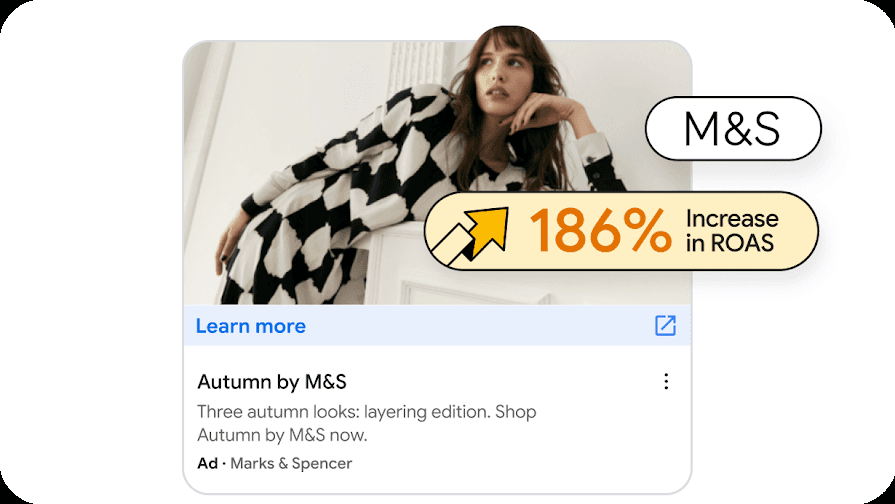
The creative lesson is the mix. Demand Gen does not force the campaign to choose between “image” and “video” at the strategic level. The stronger question is whether the asset pool contains enough appropriate material for the formats and surfaces the campaign intends to use.
Once those needs are clear, Creative Ops can turn them into a real production count.
Build the Google Demand Gen creative asset sheet before Creative Ops starts exporting
A useful production matrix might look like this:
Asset family | Planned output |
Landscape image | 3 × 1200 × 628 |
Square image | 3 × 1200 × 1200 |
Portrait image | 3 × 960 × 1200 |
9:16 image | 3 × 1080 × 1920 where relevant |
16:9 video | 2 to 3 cuts |
1:1 video | 2 to 3 cuts |
9:16 video | 2 to 3 cuts |
Headlines | 3 to 5 standalone options |
Long headlines | Video, where relevant |
Descriptions | 3 to 5 standalone options |
Logo | Square source prepared for platform limits |
Carousel | Separate set where required |
Product feed | Merchant Center QA |
Uploaded Display ads | Separate GDN set where planned |
Google's Demand Gen Ad Strength guidance can identify missing asset coverage after the campaign starts being assembled inside Google Ads.
The production matrix solves an earlier problem. It gives Media and Creative the same view of the workload before launch is waiting on one missing vertical video, another landscape execution, or a forgotten GDN banner. It also exposes the difference between new ideas and new outputs.
Three genuinely different customer tensions may require three pieces of creative thinking. Three aspect ratios of the same approved concept do not.
Once the matrix is large enough that designers are still manually rebuilding every ratio, video cut, product, language, and GDN size, comparing creative automation services becomes useful because the real question is no longer whether AI can make an ad. It is which repetitive production work still requires designer time.
Decide what is worth producing before you multiply the pool
Demand Gen can become an asset-volume problem very quickly.
Three image directions across four relevant orientations already create twelve image files. Add video shapes, duration cuts, headlines, long headlines, descriptions, logos, carousel cards, Merchant Center assets, GDN formats, and market variations, and the number of outputs keeps growing.
The campaign does not necessarily contain that many ideas. The more important question is whether the smaller set of ideas underneath those files is worth scaling.
This is where we start before Production.
We can look at the audience, the brand, competitor creative, previous performance, product priorities, and the Google surfaces the campaign needs to cover before deciding what should enter the asset pool.
The research only matters when it changes the work.
A past winner might deserve a dedicated Shorts treatment. Creative fatigue may indicate that the team needs a new direction rather than four more sizes of the old one. Competitor activity can reveal an overused message or visual convention. Merchant Center performance can show which products deserve more creative emphasis. Placement behavior can tell us when horizontal and vertical executions need different storytelling.
Once those decisions are clear, AI Studio can carry them through Production and Adaptation across the required ratios, formats, products, markets, and languages.
Repeatable resizing, product swaps, localization, video cuts, and file preparation can move through the production system, while human creative judgment stays focused on the message, hierarchy, product presentation, and exceptions that need it.
Known requirements can also sit inside brand and platform compliance checks before human review rather than being discovered only after the assets are exported.
For Performance Marketing, the result is a stronger pool of creative to test. E-commerce gets product data closer to campaign execution. Creative Ops can expand coverage without increasing manual production at the same rate.
The next creative cycle should also start with what the current one teaches us.
Our case studies show how that model works when one campaign system has to become hundreds or thousands of channel-ready assets.
Frequently asked questions
What are the Google Demand Gen creative specs?
Demand Gen standard image ads support 1.91:1 landscape at 1200 × 628, 1:1 square at 1200 × 1200, 4:5 portrait at 960 × 1200, and 9:16 vertical at 1080 × 1920. Standard image assets can be up to 5 MB. Video supports 16:9, 1:1, 4:5, and 9:16 orientations.
What image assets does a Demand Gen campaign need?
Landscape and square are core image orientations, while 4:5 and 9:16 expand mobile and Shorts coverage. Google recommends uploading three images in each relevant orientation for maximum placement coverage.
What are the Google Demand Gen video specs?
Demand Gen supports 16:9 horizontal, 1:1 square, 4:5 portrait, and 9:16 vertical video. Videos need to be at least five seconds, and videos below 10 seconds cannot serve on YouTube in-stream. Google's main Demand Gen specs currently recommend 10 to 60 seconds.
How large can Demand Gen image files be?
Standard Demand Gen image assets can be up to 5 MB. Square logos are capped at 150 KB. Static uploaded GDN ads are also capped at 150 KB.
What are the Demand Gen headline limits?
Single-image ads support headlines up to 40 characters and descriptions up to 90 characters. At least one headline should contain 30 characters or fewer. Video ads also support a 90-character long headline, while the business name is limited to 25 characters.
Does Demand Gen support Carousel Ads?
Yes. Demand Gen Carousel Ads support 2 to 10 cards with a consistent aspect ratio across the cards. Each card can have its own headline and landing page URL. Carousel Ads are not available when a Google Merchant Center product feed is being used with Demand Gen.
Can Demand Gen use a Google Merchant Center feed?
Yes. Merchant Center can provide product imagery and product data for Demand Gen. Google supports campaigns with one available product, recommends at least four for broader placement eligibility, and cites 50 approved products as a best-practice target.
Can Demand Gen ads run on the Google Display Network?
Yes. GDN inventory is now part of Demand Gen, and Google began enabling eligible advertisers to voluntarily migrate existing Display campaigns through its migration tool in June 2026.
Can I reuse Meta, TikTok, or Reels assets for Demand Gen?
Often, yes. Square, 4:5, and 9:16 social masters map well to several Demand Gen requirements. Social-first teams often need additional 1.91:1 landscape creative. Reuse the approved source when it fits, then recompose it for the destination rather than stretching one finished social asset into every Google format.
Does Google AI automatically create Demand Gen creative?
It can. Demand Gen includes video enhancements, image enhancements, generated assets, and text suggestions. Several asset-optimization features are enabled by default for new campaigns, although advertisers can opt out and use Creative Preferences when tighter placement control is needed.